

Command: Actor
Guidelines > Other Information > Actor
Main Info
|Actor command is the 1st command under the character's Other Information section.
Command | |Actor |
|---|---|
Meaning: | the actor/actress who is portraying the character |
Note: | This command is compulsory for linking the actor to the correct character(s). After you add the “|Actor” command, use the “/People” command to pull up a list of people available on MDL. Do not link actors through hyperlinking. Use the “/People” command to add the actor/actress that is portraying the character. This command will not show up in the “Other Information” box, but it will be visible above the character’s image, where it will be written “Portrayed by …” and then the name of the actor/actress. |
Options: | All people that are added and available on MDL |
Examples
Click on the image to open it in full view.
Standard Title | |
|---|---|
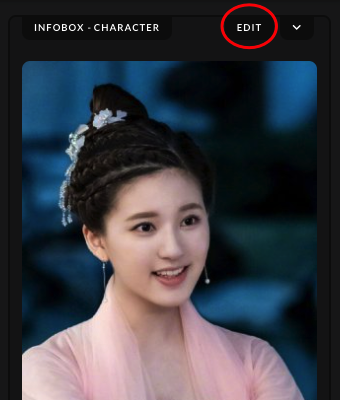 | After uploading the character's image, click on the "Edit" button found in the Infobox section. |
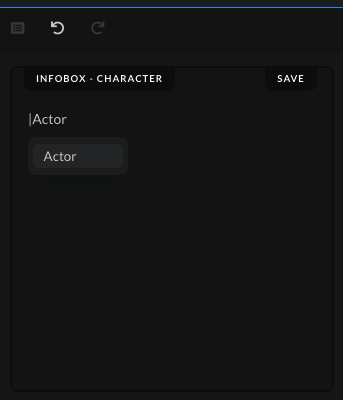 | Type the command | and write the command name, "Actor", then either press Enter on your keyboard or choose and click the command from the drop-down list to save the command. |
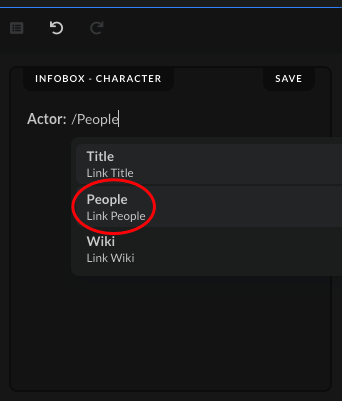 | After you inserted the main command name, "Actor", type out the command "/People", which will bring up a new drop-down menu. Click on the "People" option to save it next to the main command. |
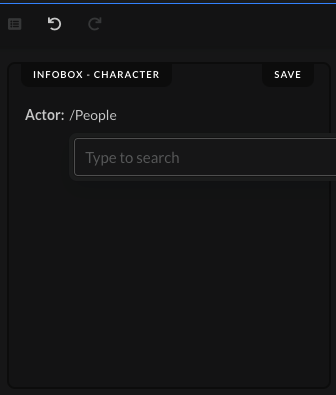 | When you click on the "People" option in the small drop-down menu, a new search bar will open up where you can find the actor/actress you want to link to the character page you're creating at the moment. |
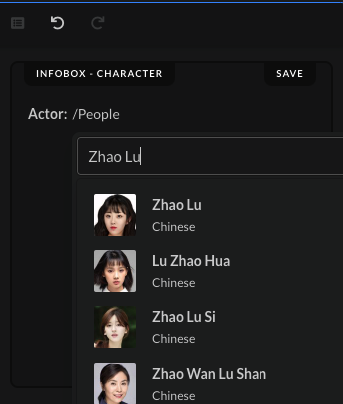 | Start typing out the name of the actor/actress you want to connect to the character you're creating and scroll down the list to find the one you are looking for. |
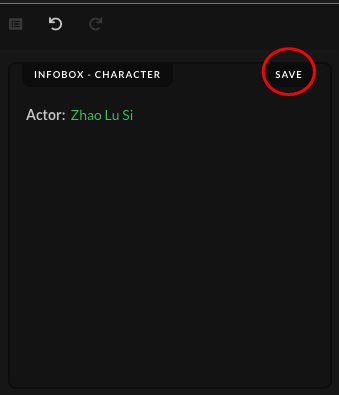 | When you find the actor/actress you're looking for, click on it to save it in the box. The name will turn green, which will indicate that you've correctly added an existing actor/actress on MDL. Click on the "Save" button after you've added the actor/actress. |
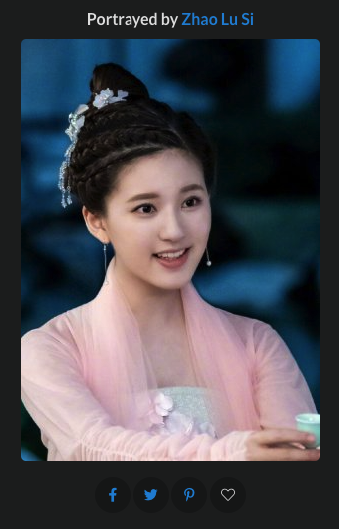 | When the submission gets accepted, the name of the actor/actress who is portraying the character, whose character wiki page you're creating, should show up above the character image in the Infobox section. |


