

Command: Height
Contents
Guidelines > Biographical Information > Height
Main Info
|Height command is the 6th command under the character's Biographical Information section.
Command | |Height |
|---|---|
Meaning: | the character’s height |
Note: | Add the height only in centimeters. All countries on MDL use the metric system for measurements. |
Options: | 180 cm / 202 cm / 155 cm / etc. |
Examples
Click on the image to open it in full view.
Regular Title
Standard Title | |
|---|---|
 | After uploading the character's image, click on the "Edit" button found in the Infobox section. |
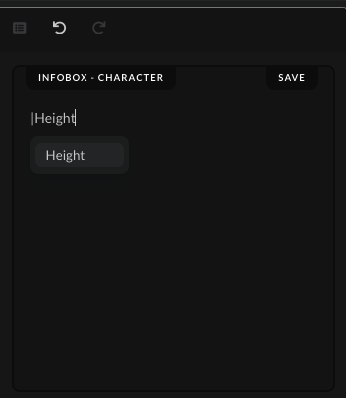 | Type the command | and write the command name, "Height", then either press Enter on your keyboard or choose and click the command from the drop-down list to save the command. |
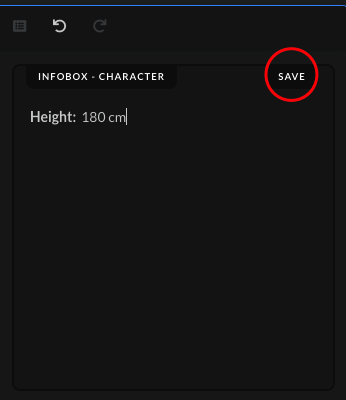 | Write out the character's height, using the style as shown in the options given above. Afterwards, click on the "Save" button after you've added the character's height. |
 | When the submission gets accepted, the height in the character's page should show up in the "Biographical Information" section. |
Special Cases Titles
Body Swap Titles | |
|---|---|
Used: | When the character in the show has switched bodies with another character |
How to: | Separate the character's height before the body swap and after the body swap in a separate row, using bullet points.
|
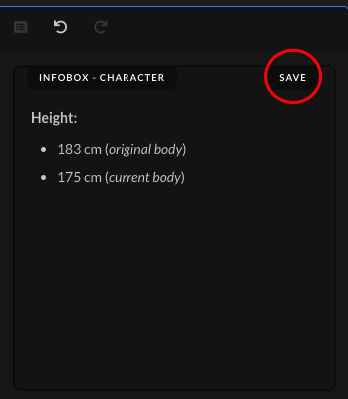 | Press Enter on your keyboard to go to the next line, and then right after press also Tab to add the bullet point. Write out the character's height, using the style as shown in the options given above. Afterwards, click on the "Save" button after you've added the character's height. |
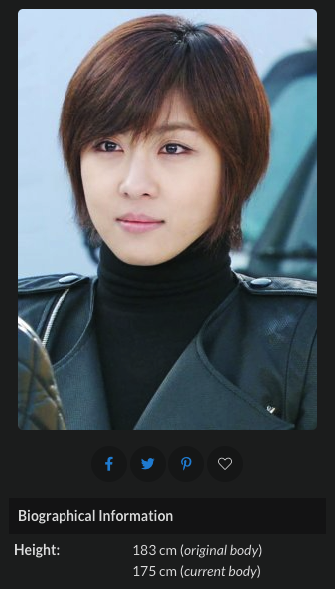 | When the submission gets accepted, the height in the character's page should show up in the "Biographical Information" section. |
Reincarnation Titles | |
|---|---|
Used: | When the character in the show has reincarnated |
How to: | Separate the character's height before reincarnation and after reincarnation in a separate row, using bullet points.
|
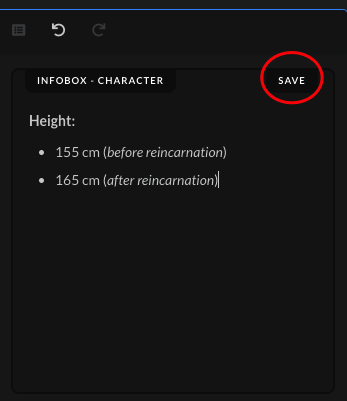 | Press Enter on your keyboard to go to the next line, and then right after press also Tab to add the bullet point. Write out the character's height, using the style as shown in the options given above. Afterwards, click on the "Save" button after you've added the character's height. |
 | When the submission gets accepted, the height in the character's page should show up in the "Biographical Information" section. |
Transmigration Titles | |
|---|---|
Used: | When the character in the show had their soul enter another body in another world |
How to: | Separate the character's height before transmigration and after transmigration in a separate row, using bullet points.
|
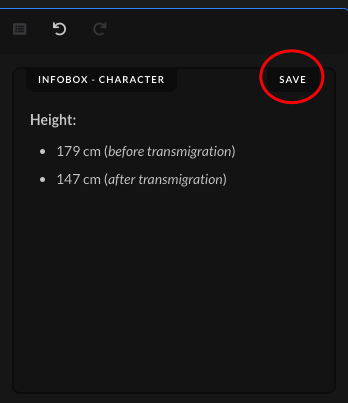 | Press Enter on your keyboard to go to the next line, and then right after press also Tab to add the bullet point. Write out the character's height, using the style as shown in the options given above. Afterwards, click on the "Save" button after you've added the character's height. |
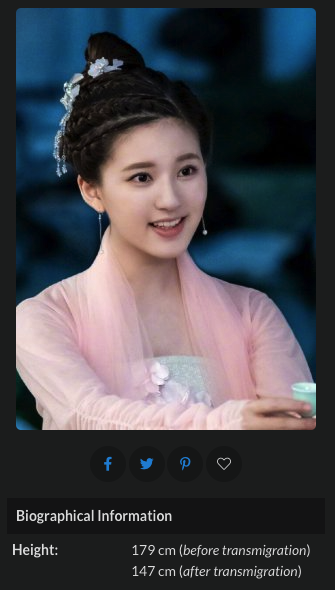 | When the submission gets accepted, the height in the character's page should show up in the "Biographical Information" section. |
Xianxia Titles | |
|---|---|
Used: | When the character in the show has switched kinds |
How to: | Separate the character's height of each kind in a separate row, using bullet points.
|
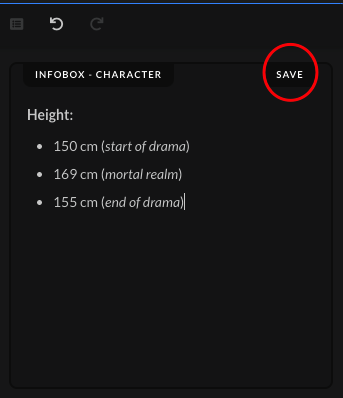 | Press Enter on your keyboard to go to the next line, and then right after press also Tab to add the bullet point. Write out the character's height, using the style as shown in the options given above. Afterwards, click on the "Save" button after you've added the character's height. |
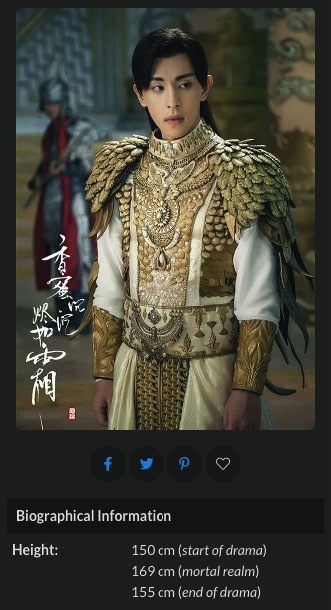 | When the submission gets accepted, the height in the character's page should show up in the "Biographical Information" section. |
Titles with Different Life Phases | |
|---|---|
Used: | When the character is shown going through different life phases within a single show |
How to: | Separate the character's height at the start of the show and at the end of the show in a separate row, using bullet points.
|
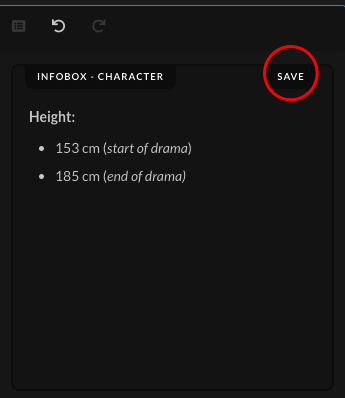 | Press Enter on your keyboard to go to the next line, and then right after press also Tab to add the bullet point. Write out the character's height, using the style as shown in the options given above. Afterwards, click on the "Save" button after you've added the character's height. |
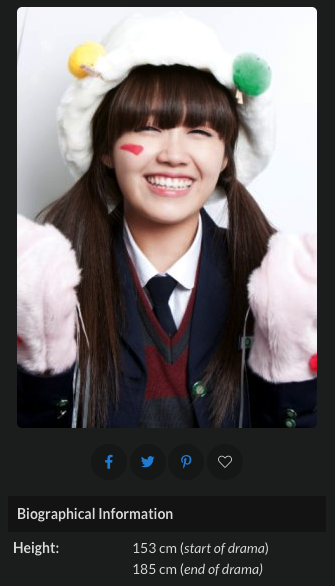 | When the submission gets accepted, the height in the character's page should show up in the "Biographical Information" section. |
Titles with Interchangeable Life Phases | |
|---|---|
Used: | When the character is shown going through different life phases interchangeably throughout the show |
How to: | Separate the character's height during each life phase in a separate row, using bullet points.
|
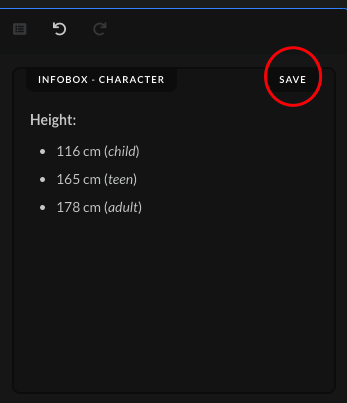 | Press Enter on your keyboard to go to the next line, and then right after press also Tab to add the bullet point. Write out the character's height, using the style as shown in the options given above. Afterwards, click on the "Save" button after you've added the character's height. |
 | When the submission gets accepted, the height in the character's page should show up in the "Biographical Information" section. |


