


(Update) kisskh.co is working for me today. Hence it wasn’t my internet network or any setting like some ppl said, because I haven’t done anything to fix it. NO VPN Used, Used Brave like I always do. It was like I first said all in KISSKH side. Thanks to those who were nice and not wrote things that made it seem I was just trying to just get sites to Watch dramas when I have no problem Just making one of this Just asking, or that Just simply it was all just on my side problems. Someone gave me solutions without judging. KISSKH has been my go-to for years and I consider them the fastest and best in variety, so yes I was pissed it didn't work and felt sad the site I used wasn't working for me. And thanks to the user that didn't jail keep I have options just in case KissKh goes crazy on me again.
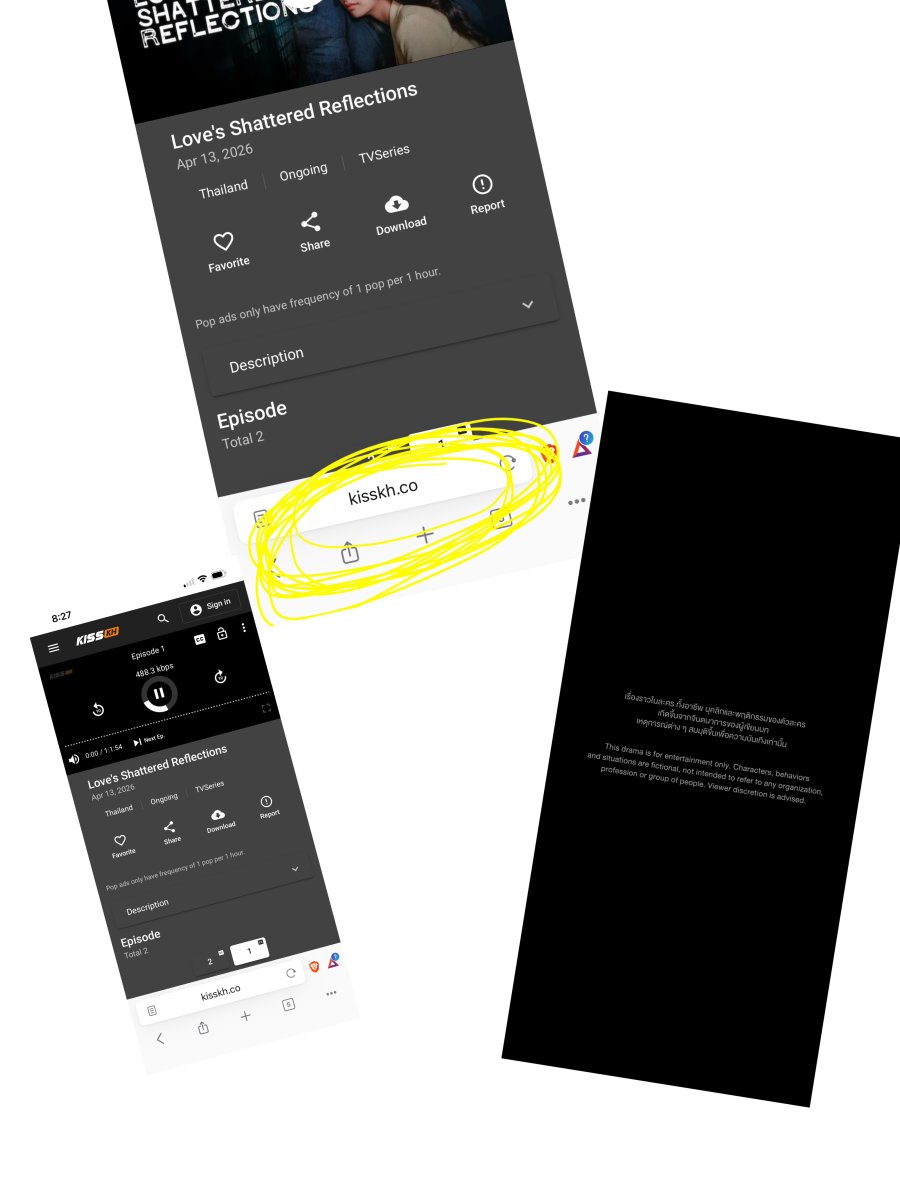
Is kisskh working for everyone except me?
I get this
The video playback was aborted due to a
corruption problem or cause the video used
your browser did not support.
They told me to add a VPN but I don’t trust those.
So the question is the problem my laptop and phone. Or others having problems.
And if there Is another alternative to Watch dramas because that was the only site I Watched dramas :(

I've been long unable to open kisskh. Instead I used onetouchtv (some titles are only/at first only available on apps)/dramacool(.lat) (has more Japanese titles available) for anything not available on iQIYI, netflix, or available for free in legal sites/apps. You can also check hitv (my colleague using its app and it looks fine). Make sure to use adblocker if possible.
I've been long unable to open kisskh. Instead I used onetouchtv (some titles are only/at first only available on apps)/dramacool(.lat) (has more Japanese titles available) for anything not available on iQIYI, netflix, or available for free in legal sites/apps. You can also check hitv (my colleague using its app and it looks fine). Make sure to use adblocker if possible.
Thank you :)
I even message them asking what was wrong with the site and they said nothing you need a VPN and sent me a link to one, I’m like it seems like a Colla, because of them saying to get VPN and sending exclusively that one And I said I Don’t want a VPN in my phone. They said if you don’t want to use VPN ask your net provider whats the problem and I’m Not ignorant but what am i going to ask! Why kisskh is not working? Because everything else does even sites where I Watch Turkish dramas their video player works the only problem is kisskh. They said well ask your net provider I’m like what should I asked them again and they answer Let's let ask how did you go to doctor?
I’m like what! So i guess they don’t want to fix the problem. They keep saying is our net provider, i guess they have a personal vendetta against KissKh. Hahhaa


It's working for me, on all extensions.
I use LibreWolf browser, NextDNS, AdGuard, and Mullvad VPN at all times, so ... not sure what's going on for you. Perhaps your ISP can see exactly where you are and what sites your visiting because you haven't secured your phone or computer, and they have a ban on known pirate sites or IP addresses?
If it is saying its a browser support issues, it may be that the browser you're using needs updating, or you need to allow certain javascript for video playback that's blocked by your browser protections. Alternatively, if could be a browser extension that's causing the issue. You need to check your settings and adjust as necessary.
The irony of not trusting VPNs though. Even the FBI recommends people use them. Of course, you shouldn't trust the free ones. Here's a list of ones that are considered good: https://essentials.techlore.tech/#vpns
I would also look to getting a different DNS server, so your ISP can't spy on where you go, or block you. Again, Techlore offer a list of trusted DNS alternatives: https://essentials.techlore.tech/#dns
Anyways, it's not Kisskh that's the issues; it's something you probably need to fix.

There are many sites using kisskh domain name though. You have to make sure you go to the right one.
Anyway, I have no problem accessing kisskh [dot] co just now and was able to play a video file. I use Chrome with Adguard extension with DNS server set to Cloudflare's one (1.1.1.1). I didn't use VPN during that visit.
Maybe you can try different browsers on laptop first and see if it's working. If negative, than you know it's your network restriction.

.buzz
except this all are showing error
i
Then it's likely an issue with your browser set-up, your browser's extensions, the security you have set up for your internet access, or your ISP is blocking unsafe sites. See if you can find where the IPs are being blocked.
Is your browser up to date?
Are all the browser edtensions up to date?
Do you have security set up to block certain websites? Is KissKH on a block list? Do you need to add it to a whitelist?
If you think your ISP is blocking these sites, you may need to alter your DNS settings and use a VPN to bypass them. Try using Tor if all else fails.
.buzz
except this all are showing error
i
Then it's likely an issue with your browser set-up, your browser's extensions, the security you have set up for your internet access, or your ISP is blocking unsafe sites. See if you can find where the IPs are being blocked.
Is your browser up to date?
Are all the browser edtensions up to date?
Do you have security set up to block certain websites? Is KissKH on a block list? Do you need to add it to a whitelist?
If you think your ISP is blocking these sites, you may need to alter your DNS settings and use a VPN to bypass them. Try using Tor if all else fails.
I can’t respond to the reply you sent me because it says is too long so I Will reply here. I used KissKh for years and used the same internet service for years to, and I never had a problem. This weekend it’s when it started to go crazy on me. Why would my internet network Just banned kisskh? When I Can use It To Watch my Turkish dramas in sites just like It, the media player works just fine also someone was kind enough to share sites with me to use and those work perfectly, no problem watching their videos. Watching dramas shouldn’t be that hard specially with it comes to tech stuff moving some settings, add ons, extensions, VPN etc etc
I asked around not just here and like you saw in the replies is not just me having problems.
I’m not going to use a VPN and specially the one that they told me to use like promoting it like it’s was a collab. I never had the need to use one and i want to keep it that way.
Thanks for the reply. I would of had appreciated way more If It was a reply sharing sites that I Can replace kisskh with specially with how rude the Customer service was towards me, but thanks again have a nice day.
I just remembered that it's always working using my workplace's wi-fi. I just check kisskh(.la) and it works. Maybe you could reset your network or using different network to open kisskh.
That weird tho i had the same internet network for years, used kisskh for years with no problems expect the times they moved domain. But thanks to you and how you were nice enough with sharing sites I can use those just fine. Have no problems what so ever using any other sites except kisskh.
You were the only one that actually helps and shared sites with me. After how rude the kisskh customer service member was I don’t even want to use that site again.

Long post coming—replying to multiple points though sleepily so I might have accidentally typed over something tapping the screen when groggy.
( . do ) works fine. I don’t use it for much, but I won’t pay for D+ or other services that I see one or two shows a year on, so I sometimes access it. If it isn’t working, try a different browser or turn tracking protection to basic vs full if it is because the ad blocker is detected.
There are legit VPNs out there, Windscribe and Proton two safe, solid ones used by tech companies, financial institutions, some universities & hospital systems (because accessing research sometimes requires hacking your way into them thinking you are one of them😂), and more which is how they have free options… the free options are limited in number of locations and/or speed or total you can access through it data-wise (ie they don’t let freeloaders use them to torrent left and right), but they can be useful going to sites like kisskh.
I actually always use the VPN that came with my iPad (one of very few things that were on it) when going on sites like that, Apple not installing unsafe garbage on devices by default (they’ll let you uninstall, but why would I when it lets me legally access Viu via Singapore which has sharper video quality than Viki and gives me some legal access to Japanese content that is geoblocked, too?) They recommend having everything as privatized as possible for your protection, VPNs flimsy masks for strict sites with constant monitoring but useful for most. Some of my work would be far less solid without them (because like I said, there is research out there that is locked to a region or few but that can literally be lifesaving in the case of medical studies for rare diseases in particular that haven’t yet gone to international print!), BUT I would never ever use one recommended by a site that is, by existing, an end product of their owners committing crimes in several nations!
I always have a VPN on when I am on that site and actually don’t use my own home Internet Service if going to unlawful ones since it could have my Internet access suspended which is a massive pain even though I have backup options, several of them… (phone data/browsing can be near-halted similarly, and if on a phone, be that much more careful since that phone is tied more directly to your ID, your address, payment info and more to prove illegal access). I either use a throwaway prepaid data SIM card for roaming w/my tablet, one that isn’t even attached to my name, or go into a shared one for the building I live in, a hotspot that still has decent speed, one password-locked but not tied to my router and makes tracing activity to me more difficult in general as I am not logged in as me but just a device that has the password and is not tied to my name, either.
That said, kisskh is fully blocked (hence extensions changing often) by some ISPs and even more local systems/security systems that detect unusual traffic from a site not in the list of legal ones. I can’t be on WiFi at work and access it at all, thankfully—who wants sites like that wide open in healthcare settings where personal info needs protection? (It’d also make data costs insane). Libraries here block it, too, naturally. Unis do as well. Many ISPs update lists of domains not accessible. VPNs won’t actually fix that issue since your ISP still provides the first and final bandwidth on your end.
Anyway, good VPNs give access by faking the location other sites make you appear to be from (lots of countries that attack sites get blocked from access based on them seeing people in this or that—when my vpn is set to Japan, even loads of legal sites are cut out in full! Apple’s App Store has solid options if your device is one of theirs. I wouldn’t trust Android in that they let anyone who passes a basic, TOO basic, virus scan throw an app there including unsafe options like hitv’s app, onetouchtv’s also likely a data mining and selling one that’ll rip info from your phone and end up having all your contacts spam dialed every hour of the day once sold to a thousand bidders.
Oh, this should go without saying, but use Brave, Firefox, or Kiwi (or Orion if in an Apple device) for basic privacy protection and security… Google (Chrome) gets along way too well with enforcers of law and with service providers pretty much everywhere that they operate at all… I wouldn’t use Google products for anything that is highly sensitive or anything that involves unlawfully accessing material!


