Quantcast

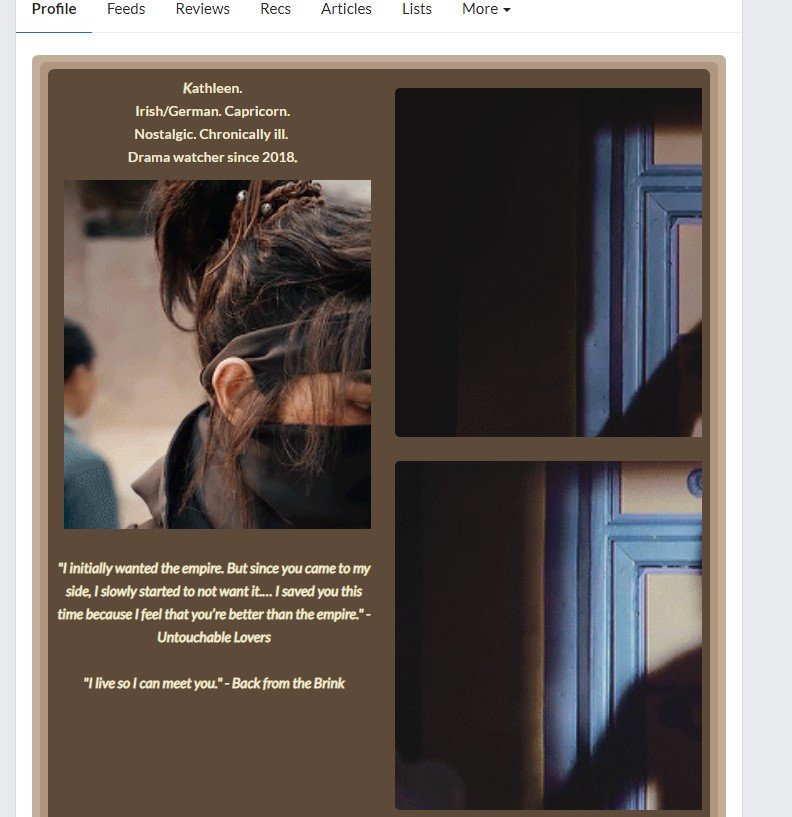
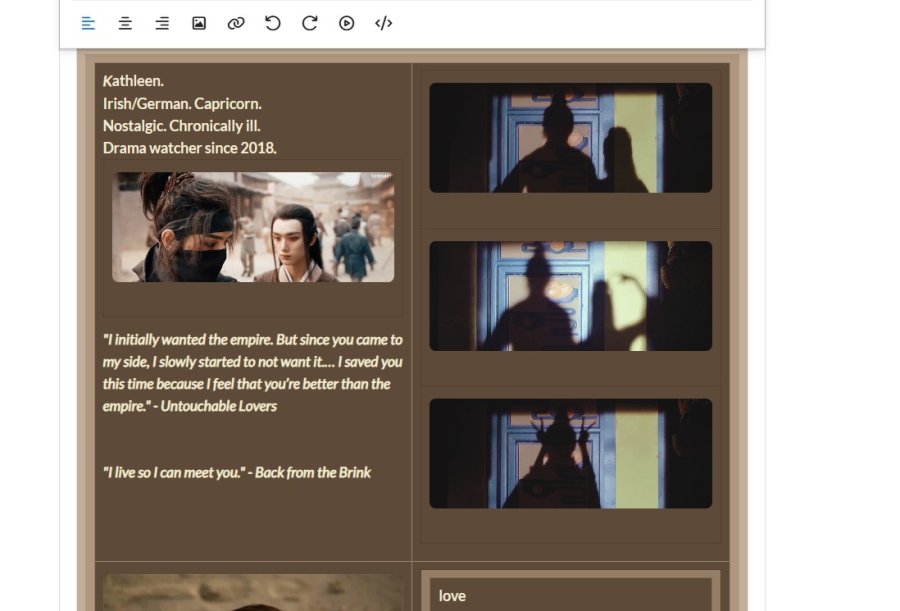
My profile looks different in the settings from how it appears on my profile. The pictures which look normal on the settings are zoomed in and strange on my profile. The text is centered on my profile but not centered in the settings, and there's gaps between each row in the settings that don't appear on my profile. Also it won't let me change the background color of some of the sections, while others change fine, and I can't delete or add any rows.Screenshot 2026-04-12 223738.jpg
Screenshot 2026-04-12 223709.jpg

I'm using chrome, but checked microsoft edge and having the same issues there, too.

Happening to me, too. I'm guessing they're doing some work on the site. It only started in the past hour or so. Everything looked fine before.

Fixed. Thank you.

Ji-N:

Fixed. Thank you.

The picture dimensions are fixed (thank you!) but the settings are still doing odd things for me like not letting me create tables properly (adding a new row only does it on one side, there's no option to delete a row/column, and adding a table automatically makes 12 squares with no option for fewer or merging them). I also can't change the background color on certain sections (for example it will let me change it on the top left but not the top right no matter where I click in that section). And if I click the undo button it erases everything instead of just the last change(s).

emeraldarrows:
And if I click the undo button it erases everything instead of just the last change(s).

Will fix that but the other issues you will have to play around with the table toolbar when clicking on the column