Quantcast
Ji-N:

We would need previous version to see what is the issue.

as i was retrieving a past challenge post design for reference, i just noticed that the posters on the challenge link i provided seem to have reverted back to the uniform size they originally were without me doing anything to the post. yay!

i know there have been some updates that changed a few things (like auto changing sharp corners to rounded ones), but outside of the known details, i'll redo the color scheme and see if i notice anything else out of working order.


sone:
Ji-N:

We would need previous version to see what is the issue.

as i was retrieving a past challenge post design for reference, i just noticed that the posters on the challenge link i provided seem to have reverted back to the uniform size they originally were without me doing anything to the post. yay!

i know there have been some updates that changed a few things (like auto changing sharp corners to rounded ones), but outside of the known details, i'll redo the color scheme and see if i notice anything else out of working order.

Please do, that would help us a lot.

Hope the tech bugs get sorted out soon. I can't seem to adjust one of my tables on my profile. In editing mode I can change it but when it's saved there's no change.

Winnie:

Hope the tech bugs get sorted out soon. I can't seem to adjust one of my tables on my profile. In editing mode I can change it but when it's saved there's no change.

Fixed resizing for new editor. Are you referring to the old editor in the profile settings?

Also fixed image linking.

Ji-N:
Winnie:

Hope the tech bugs get sorted out soon. I can't seem to adjust one of my tables on my profile. In editing mode I can change it but when it's saved there's no change.

Fixed resizing for new editor. Are you referring to the old editor in the profile settings?

Also fixed image linking.

Hmm... maybe I was in the old editor. I can't tell. I will check soon.

Ji-N:
Winnie:

Hope the tech bugs get sorted out soon. I can't seem to adjust one of my tables on my profile. In editing mode I can change it but when it's saved there's no change.

Fixed resizing for new editor. Are you referring to the old editor in the profile settings?

Also fixed image linking.

Screenshot_20260408_191943_Chrome.jpg

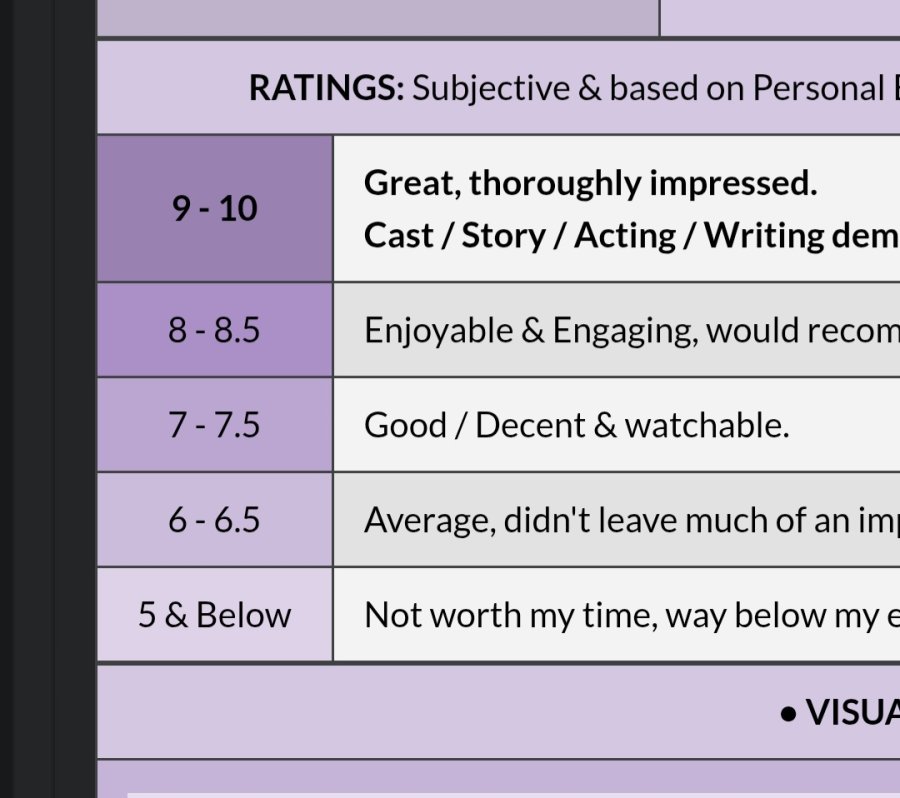
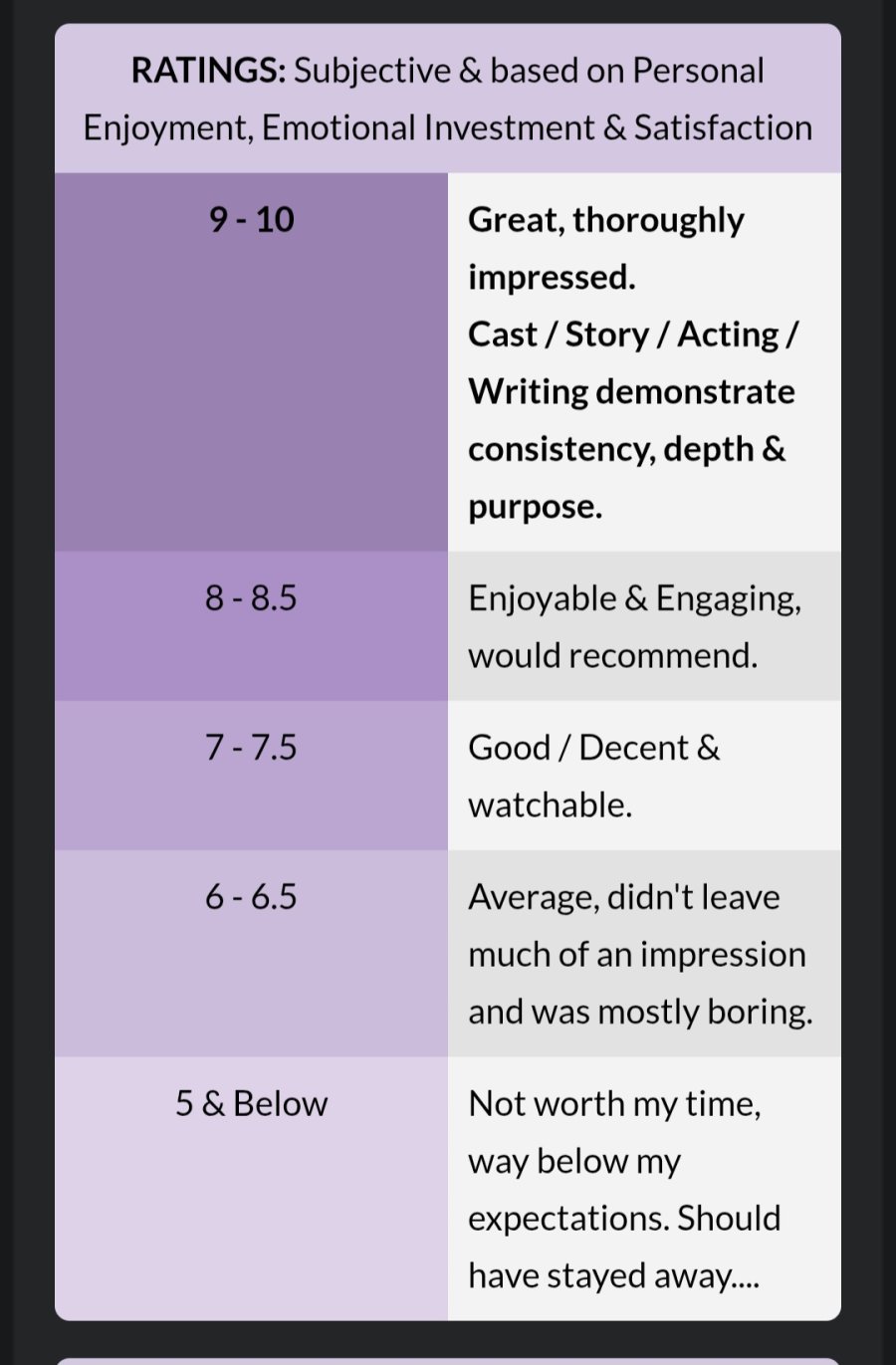
Currently this is how the table looks in editor mode

When I save it the table doesn't save to how I have adjusted in edit mode.

Shown below:

Screenshot_20260408_191903_Chrome.jpg

Hope this makes sense.

(Btw, I like the rounded edges)

Is this in the old editor?

Ji-N:

Is this in the old editor?

Not sure. I can't tell what the new editor looks like. Not up to date with the new changes going on... sorry.

Winnie:
Ji-N:

Is this in the old editor?

Not sure. I can't tell what the new editor looks like. Not up to date with the new changes going on... sorry.

I mean where did you edit it from? New editor is the one in here (forum)

Ji-N:
Winnie:
Ji-N:

Is this in the old editor?

Not sure. I can't tell what the new editor looks like. Not up to date with the new changes going on... sorry.

I mean where did you edit it from? New editor is the one in here (forum)

I think it must be the old editor. I edit from my profile like I normally do.

I see. Thank you. The only way we can fix that is by converting it to the new editor. The issue is that the old editor and the new editor conflict with each other in how tables are handled.

Ji-N:

I see. Thank you. The only way we can fix that is by converting it to the new editor. The issue is that the old editor and the new editor conflict with each other in how tables are handled.

I see. Thanks for the explanation. Hopefully it gets resolved :)

Thank you, your profile is a good example for us to use. We’re looking into how to make it function more closely to the old editor. Most issue seems to be related to images.

Ji-N:

Thank you, your profile is a good example for us to use. We’re looking into how to make it function more closely to the old editor. Most issue seems to be related to images.

Okay I will leave my profile as it is.

I was going to create another table and copy/paste the info back to see if I can get the table how I wanted but for now I leave my profile as it is.

Ji-N:
:

The tables for category 1, 2 & 3 are how I want them. But for the rest, I can't adjust them, so the images appear overly huge :(

Updated.

no 1 dou zhao defender:

Also, I can't hyperlink images anymore. I actually inserted the link for the MDL site for all dramas where I used an image. But when I click on them, it doesn't redirect me to their webpages.

Will look into this.

It's all working for me right now. Sorry for the bother and thank you so much for your hard work!!