Quantcast

We will continue to look for an editor that would match up with the previous one.

Ji-N:

We will continue to look for an editor that would match up with the previous one.

thanks, really appreciate it!

MadiHawkins:
inserted one new gif image - the action somehow affected other gifs uploaded long time ago, and now all images have random sizes on my profile page

I understand now. The moment I started editing and removed one element (deleted 2 old pics in the table) and added a new one (put one new gif image in that place), the whole structure got broken.

I tried to patch it yesterday. I'm not going to build the profile page from the ground. All the text and background formatting is still there, I don't want to tamper with it.

So I:

- uploaded all gifs once again to an external hosting site to get new urls

- deleted all gif images in the profile

- inserted images one by one (with a new url)

- resized each image by specifying width percentage

It didn't help.

The strangest thing, the result in the edit mode and on the profile page is still something different. It's a neat layout with properly resized images on the settings page, and broken images on the public profile (not resized or not properly resized).

I understand there is no (immediate) solution to the current situation that we're having here now. I'm not writing to complain or to press the admins. Just sharing my experience.

Ji-N:

We will continue to look for an editor that would match up with the previous one.

Thank you.

MadiHawkins:

In the edit mode (on my settings page) after saving the changes all images look like they should (each in desirable size and position).

When returning to my profile page, it's all a mess, the sizes of all gifs are different from what I specified (and saved) in the edit mode, the images are too big/shifted. When going back to edit mode (settings) they all appear ok (not broken).

Next attempts, testing back and forth, replacing tables, deleting and restoring images, I made some valuable observations but the whole process gave me a headache, it's all too confusing.

Resizing works but in a very peculiar way.

Even deleting a gif image in a row below a row with two gif images affected the sizes of the two images which were already resized properly and properly saved and properly displayed in the profile (talking about a new table that I created today with the current editor) which made me go back and fix things once again.

Moreover, what I can see on the settings page (in the edit mode) is not necessarily the outcome seen later in the profile so it's like doing things blindly.

In the end, I managed to resize all images but it took ages to equalize sizes and align two gif images in a row (juggling at random with percentages and adjusting the column width). At least on the profile page the images are close to the sizes I wanted (it looks completely different in the edit mode).

About that small toolbar box for formatting a table - it now stays down the page (with the cursor) and doesn't obstruct me anymore from the main toolbar at the top, I can reach "image" and "table" icons easily.

MadiHawkins:
Moreover, what I can see on the settings page (in the edit mode) is not necessarily the outcome seen later in the profile so it's like doing things blindly.

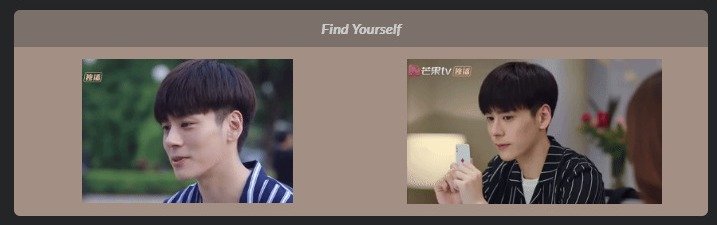
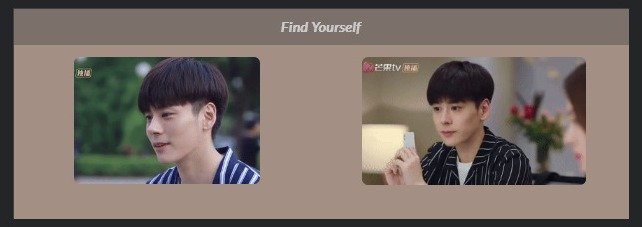
this pair of two images looks identical on the profile page and in the edit mode (settings) - after resizing the images and saving the changes:

- the profile page

2001CR.jpg- the edit mode

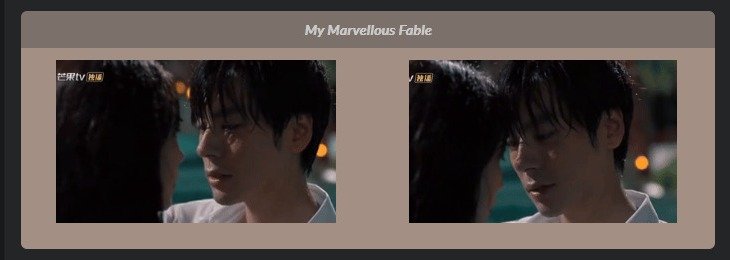
2002CR.jpgand this second pair of images looks completely different on the profile page and in the edit mode (settings) - after resizing the images and saving the changes:

- the profile page

3001CR.jpg- the edit mode

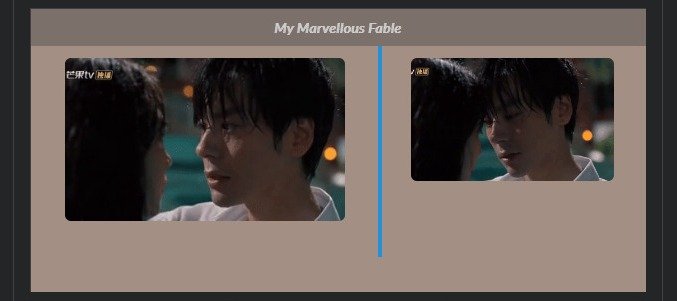
3002CR.jpgthis is what I had to save in order to achieve the result visible now in the profile

the proportion between the two images is almost 2:1, I needed to shift the left column edge as well (highlighted in the screenshot)

Anyway I've learnt how to get around the problem. I planned to expand my profile which I've had under construction for over a year so I will continue working with the current editor (as it is).

@MadiHawkins I'm happy you found a work around! I already deleted my old page so I'll be figuring out the new editor as I go. Thanks for the update! This community has a lot of savvy IT people. Counting on them to help us through this!